Part 3 of 4: Install the mods
Each mod is one DLL that belongs in BepInEx\plugins. Install either one or both: they are separate plugins with their own settings windows and config files. Each archive holds just a DLL and a readme, with no folders inside, so you put the DLL in place yourself.
| Mod | Archive | Size | Settings window |
|---|---|---|---|
| Ungodly Diplomacy AI 1.0.1 | UngodlyDiplomacyAI_v1.0.1.rar | 94,284 bytes | F8 |
| Ungodly Diplomacy Research 1.2.0 | UngodlyDiplomacyResearch_v1.2.0.rar | 82,721 bytes | F9 |
-
Download the archives
Take each one straight from this website or from its Google Drive mirror. Both sources give you the same file, byte for byte.
Ungodly Diplomacy AI 1.0.1
This website
Hosted by StixsworldHD and checked against its SHA-256 checksum before every download.
Google Drive mirror
On StixsworldHD's own paid Google Drive account.
Ungodly Diplomacy Research 1.2.0
This website
Hosted by StixsworldHD and checked against its SHA-256 checksum before every download.
Google Drive mirror
On StixsworldHD's own paid Google Drive account.
Why you can trust these downloads
I host every copy myself. The copies on this website are checked against the SHA-256 checksums published on this page before every download, and the Google Drive mirrors are on my own paid Google Drive account. So I can guarantee they're safe and secure: they're the exact files I uploaded, with no re-uploads, ad-wall download sites or bundled installers in between. The Google Drive mirrors may also give you faster download speeds than free file-hosting sites.
StixsworldHD (StixsmasterHD4k)
-
Check the downloads
Optional, but it proves each copy matches its release byte for byte. Search the Start menu for PowerShell, open it, and run this one command. It checks every Ungodly archive in your Downloads folder:
Get-FileHash "$env:USERPROFILE\Downloads\Ungodly*.rar" -Algorithm SHA256The Hash column must read:
File SHA-256 UngodlyDiplomacyAI_v1.0.1.rar305324DDDBC7AB1CB658E67ADE435CC996398AEAFD8BF9C1C82663D59FDB03FFUngodlyDiplomacyResearch_v1.2.0.rarF7E393028A42C07DD45C5256AF403D7CDAE5DB1A0E23E8B7E838986CC2DE08E6PowerShell prints hashes in capitals; capitals and lowercase are the same value. If you saved the files somewhere other than Downloads, change the path. In Command Prompt,
certutil -hashfile "%USERPROFILE%\Downloads\UngodlyDiplomacyResearch_v1.2.0.rar" SHA256prints one file's hash in lowercase. -
Extract them to temporary folders
Close the game first. In your Downloads folder, right-click each archive and use 7-Zip's or WinRAR's Extract to option that names a folder after the archive, such as Extract to UngodlyDiplomacyResearch_v1.2.0\. Each archive holds two files:
File What it is Where it goes UngodlyDiplomacyAI.dll
258,048 bytes, 252 KB in ExplorerThe mod itself. BepInEx\pluginsUngodlyDiplomacyAI_README.md
13,466 bytes, 14 KB in ExplorerThe author's notes: features, changelog and credits. Opens in any text editor. Not needed in the game folder. Keep it with your downloads. UngodlyDiplomacyResearch.dll
241,152 bytes, 236 KB in ExplorerThe mod itself. BepInEx\pluginsUngodlyDiplomacyResearch_README.md
13,834 bytes, 14 KB in ExplorerThe author's notes: how repeatable research, stacking, mastery and saves work. Opens in any text editor. Not needed in the game folder. Keep it with your downloads. Don't extract them straight into the game folder
Because the archives have no folders inside, extracting one into the game folder drops its DLL beside
Diplomacy is Not an Option.exe. BepInEx only loads plugins fromBepInEx\pluginsand the folders inside it, so the mod would never start:- Diplomacy is Not an Option
- BepInEx
- plugins still empty
- Diplomacy is Not an Option.exe
- UngodlyDiplomacyAI.dll wrong place
- UngodlyDiplomacyResearch.dll wrong place
- BepInEx
- Diplomacy is Not an Option
-
Move the DLLs into
BepInEx\pluginsOpen the game folder, then
BepInEx, thenplugins. Drag in the DLL of each mod you want, or copy and paste it:- BepInEx
- plugins
- UngodlyDiplomacyAI.dll AI mod 252 KB
- UngodlyDiplomacyResearch.dll Research mod 236 KB
- plugins
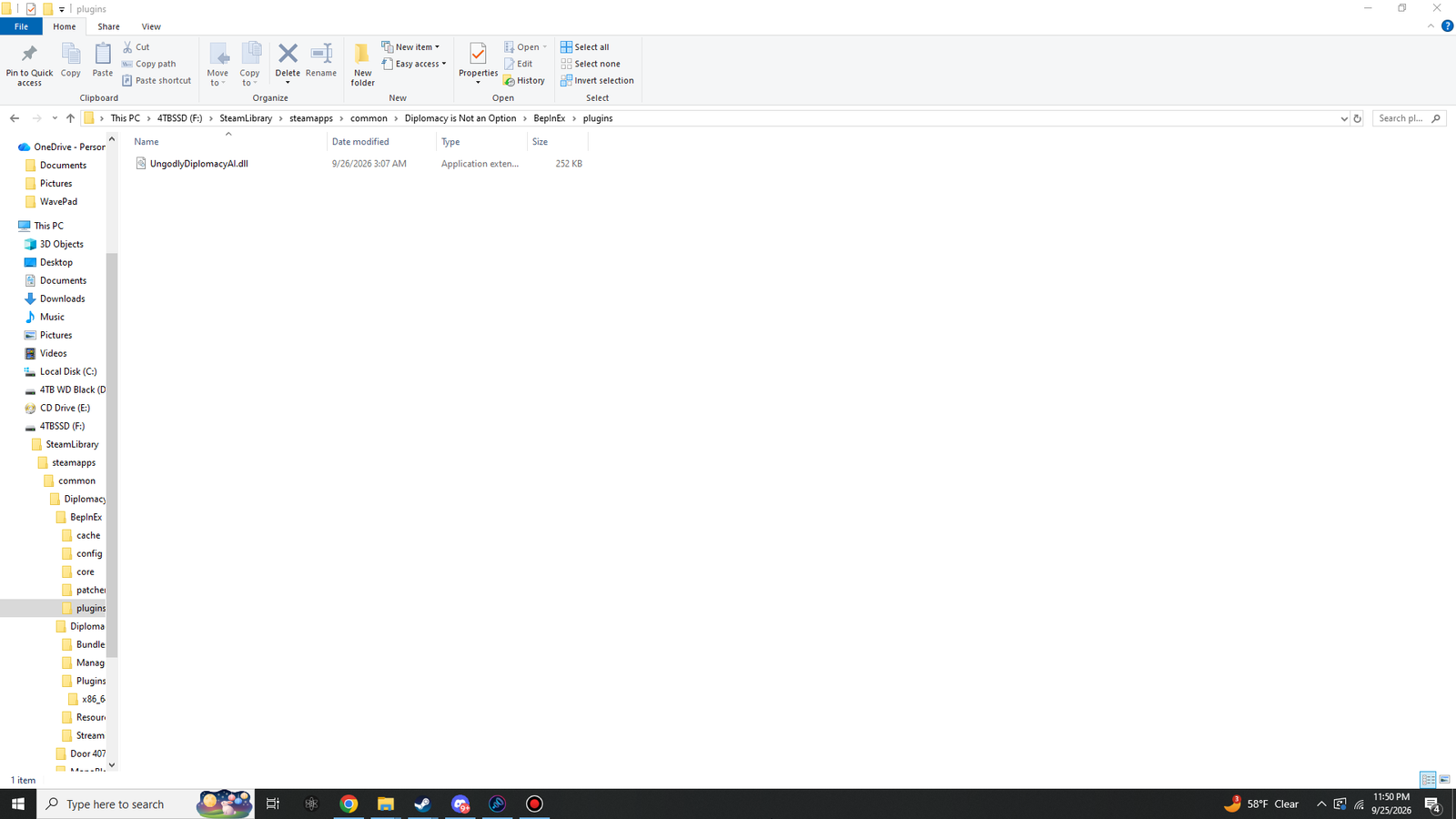
BepInEx\plugins with Ungodly Diplomacy AI installed: UngodlyDiplomacyAI.dll, 252 KB. With both mods, UngodlyDiplomacyResearch.dll (236 KB) sits right beside it. - Install only the mods you want. Each DLL works on its own.
- A folder of its own works too, for example
BepInEx\plugins\UngodlyDiplomacyResearch\UngodlyDiplomacyResearch.dll, because BepInEx searches every folder insideplugins. - Keep exactly one copy of each. If BepInEx finds two, it loads one and writes
Skipping […] because a newer version existsfor the other. - The readmes don't go in the game folder. Keep them with your downloads.
- BepInEx
-
Start the game, press F8 and F9
Launch the game. At the main menu:
- F8 opens the Ungodly Diplomacy AI window, titled Ungodly Diplomacy AI v1.0.1.
- F9 opens the Ungodly Diplomacy Research window, titled Ungodly Diplomacy Research v1.2.0.
Press the same key again, or click the window's Close button, to close it. Both windows can be open at the same time.
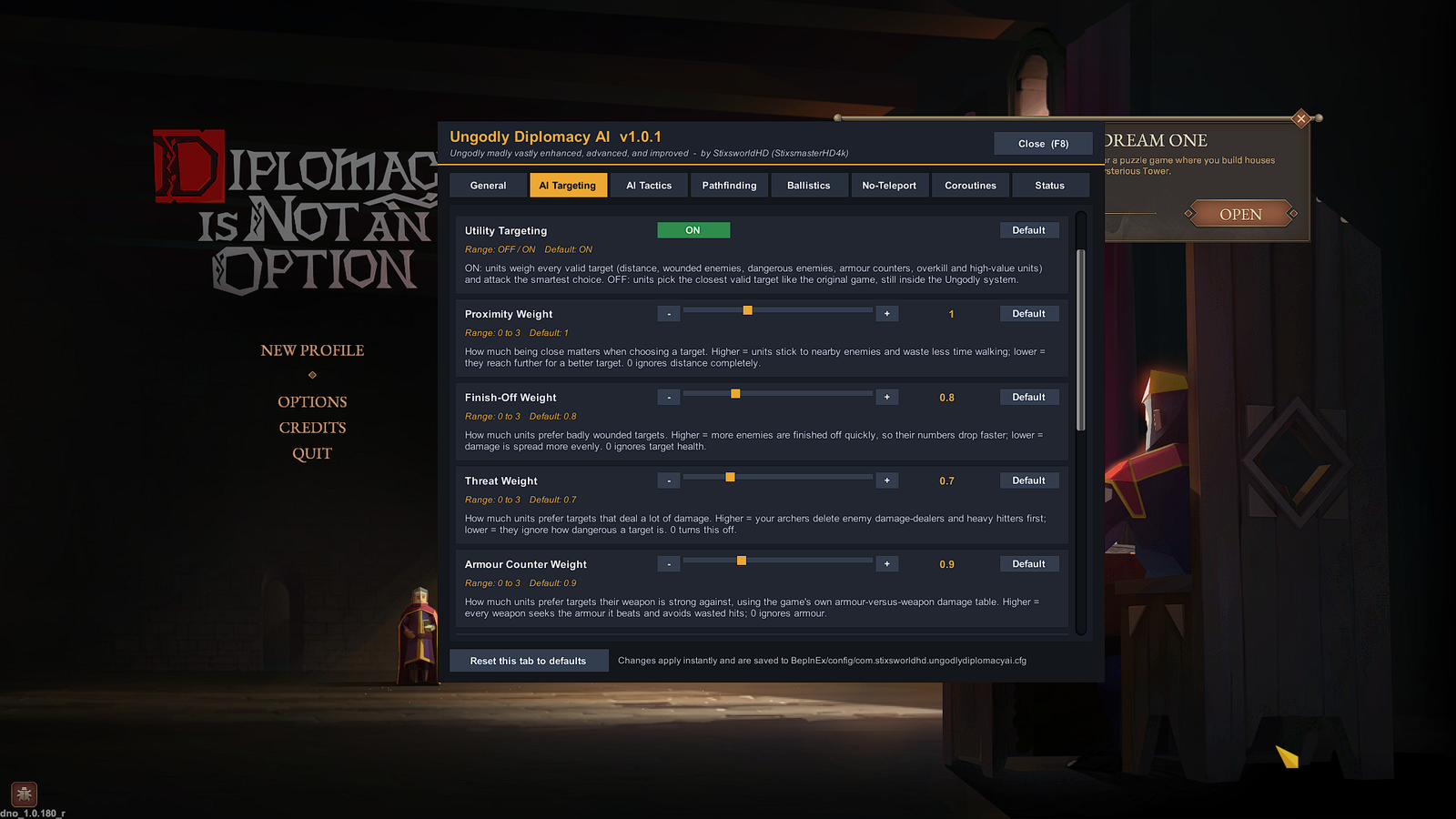
Ungodly Diplomacy AI: the AI Targeting tab. Sliders, − and + buttons, and a Default button on every row; changes apply instantly. 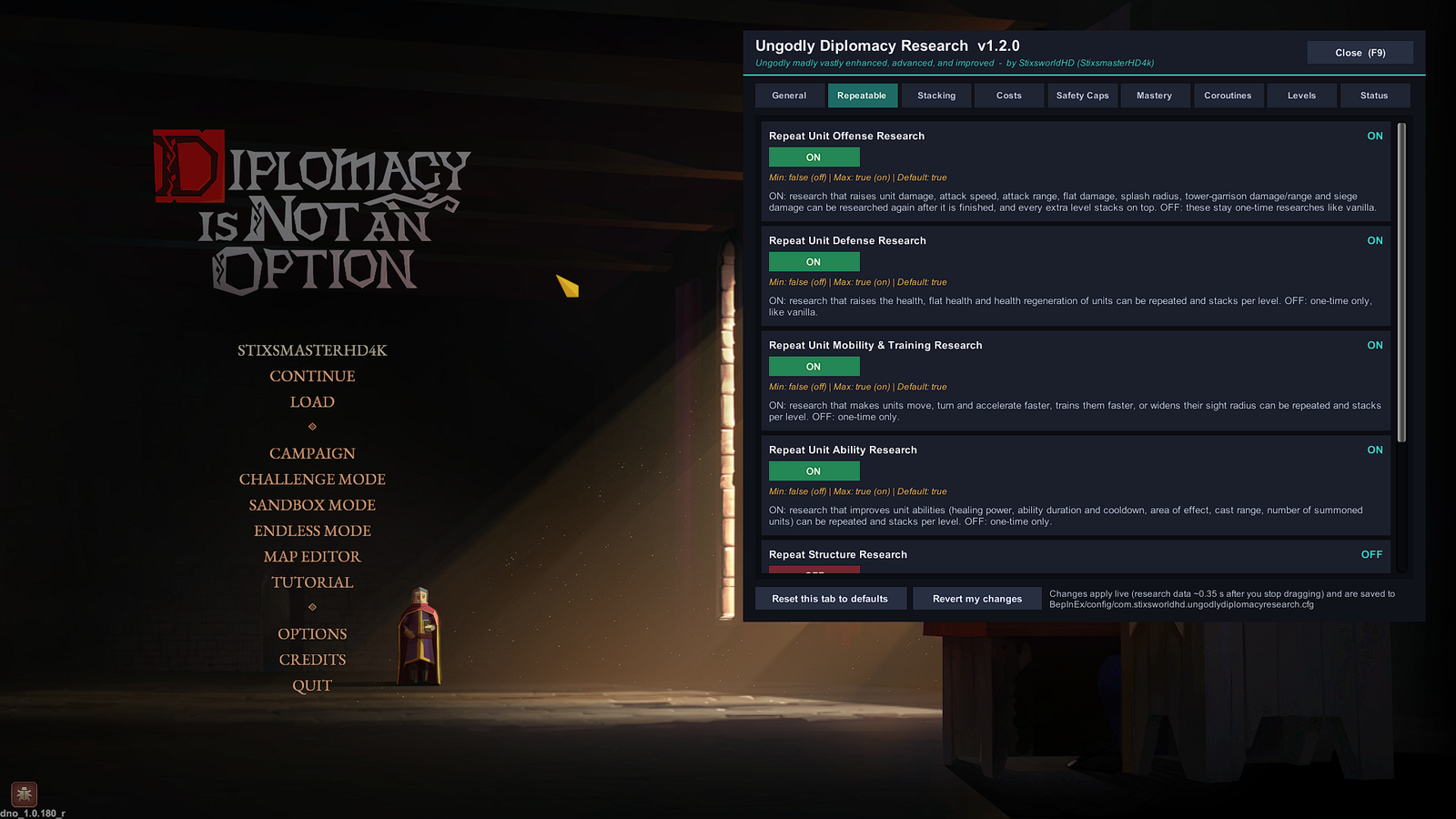
Ungodly Diplomacy Research: the F9 window on its Repeatable tab, where you choose which kinds of research can be repeated. Structures are OFF by default. That first start also writes each mod's settings file beside BepInEx's own:
- BepInEx
- config
- BepInEx.cfg
- com.stixsworldhd.ungodlydiplomacyai.cfg created by the AI mod
- com.stixsworldhd.ungodlydiplomacyresearch.cfg created by the Research mod
- config
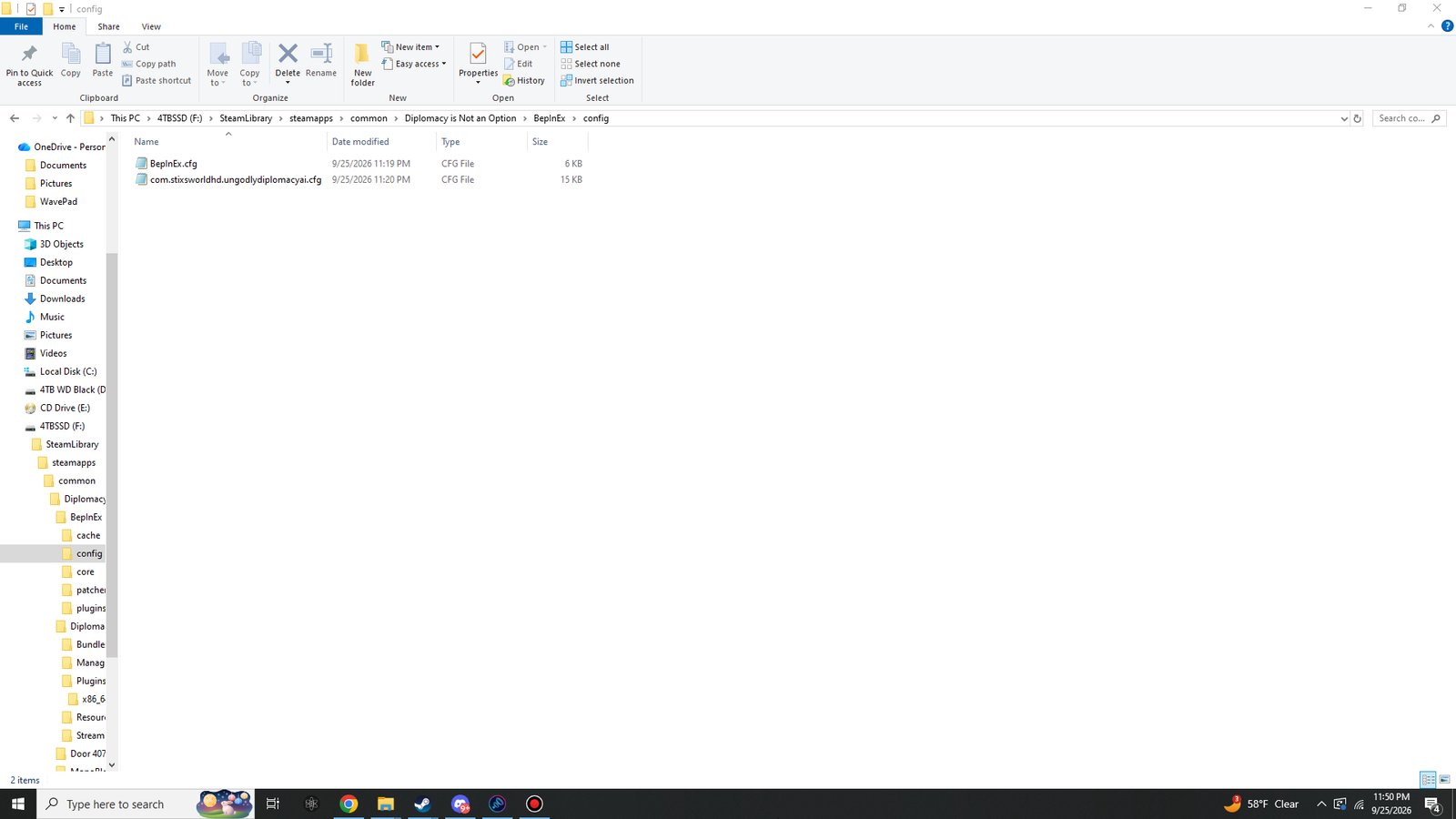
BepInEx\config after a start with Ungodly Diplomacy AI: BepInEx.cfg plus com.stixsworldhd.ungodlydiplomacyai.cfg. Ungodly Diplomacy Research adds com.stixsworldhd.ungodlydiplomacyresearch.cfg beside them. The mods are installed when
each window opens and its title shows the right version. Part 4 confirms every system is running and walks through your first repeatable research.
Updating an older version
For either mod: close the game, copy the new DLL into BepInEx\plugins and choose Replace the file in the destination. Keep your settings files.
Ungodly Diplomacy AI 1.0.0 to 1.0.1
1.0.1 uses existing 1.0.0 settings unchanged. What changed: 1.0.0 read the menu key through BepInEx's own shortcut check, which rejects a press while any other key or controller button is held, so F8 could be ignored with a controller, wheel or virtual gamepad connected. 1.0.1 reads the key itself through two independent input paths, and one press always toggles the window exactly once.
Ungodly Diplomacy Research to 1.2.0
1.2.0 is built from 1.0.0 and keeps its save format, so your saves keep their research levels. What changed: research has no level limit any more (the Max Research Level setting is gone), while Research Mastery keeps its max level (Mastery Max Level, 2 to 200, default 30). Everything else works as in 1.0.0.